Create a loop using wire toolbox
-
Hello,
I have two questions one regarding the "wire toolbox" and another about "clone mirror"
- I am trying to use the 'Routing toolbox' to create a loop at some point along a spline, however, I can't seem to figure out how I can set the loop center.
I see this message at the bottom of the screen "Pick center of loop (only triangle meshes are supported)".
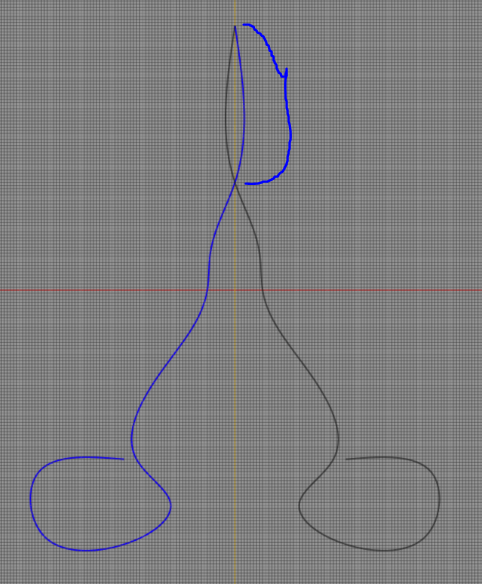
- I have a spline I need to clone and mirror (the blue spline). I would like the spline to overlap in that area highlighted in blue. Is this possible?
Thanks!
-
Hello,
I have two questions one regarding the "wire toolbox" and another about "clone mirror"
- I am trying to use the 'Routing toolbox' to create a loop at some point along a spline, however, I can't seem to figure out how I can set the loop center.
I see this message at the bottom of the screen "Pick center of loop (only triangle meshes are supported)".
- I have a spline I need to clone and mirror (the blue spline). I would like the spline to overlap in that area highlighted in blue. Is this possible?
Thanks!
Hi,
-
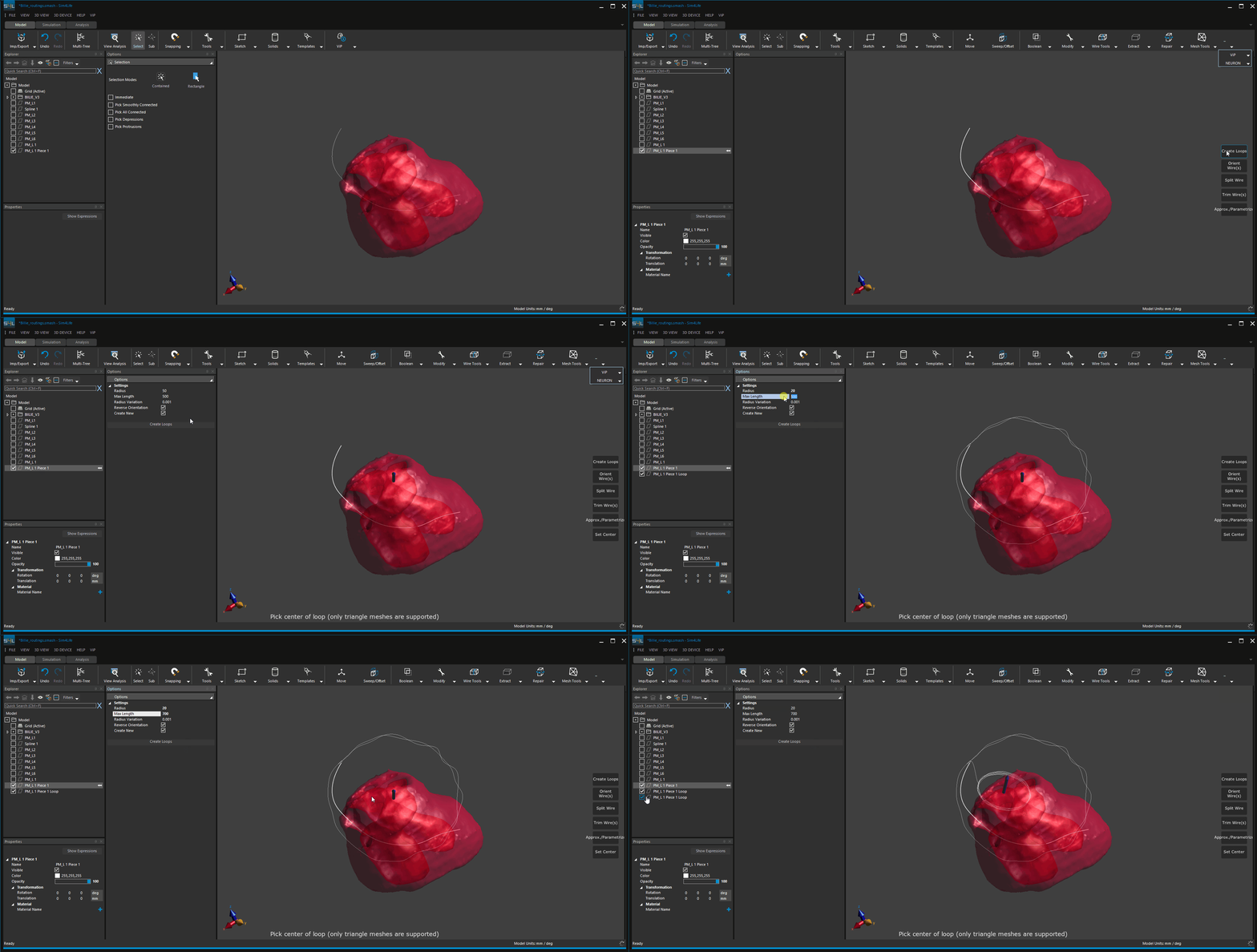
Please have a look at the gif file attached. You can also model (draw) a simple object and convert it into Mesh and then use it as your reference to create a loop.
-
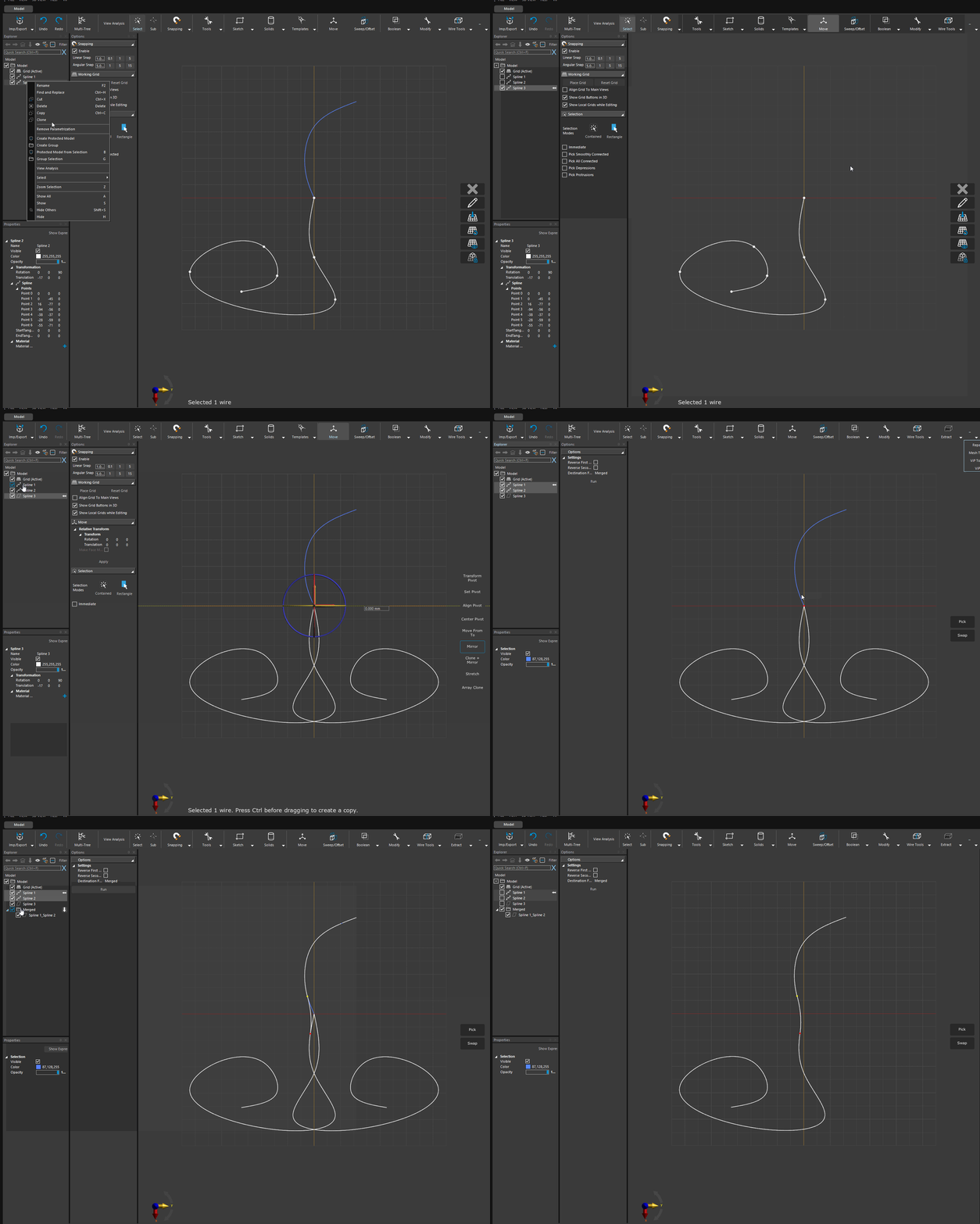
I am not sure if I understood your question. If you want to have the spline and its mirror to be overlapped in the "blue section" you need to generate this part of the spline symmetric w.r.t. your mirror plane.


Hello! It looks like you're interested in this conversation, but you don't have an account yet.
Getting fed up of having to scroll through the same posts each visit? When you register for an account, you'll always come back to exactly where you were before, and choose to be notified of new replies (either via email, or push notification). You'll also be able to save bookmarks and upvote posts to show your appreciation to other community members.
With your input, this post could be even better 💗
Register Login