How can I export a mesh model as IGES
-
I have a mesh entity in the model. When I export it to file as IGES, the software gives the following error

How can I solve this?
thxI figured it out. The problem is that not all export formats support meshed entities. The entities could be either meshed surfaces or solids (i.e. mathematical representation of the geometry). Kind of analogous to having a picture pixelized (bmp) or vectorized (ps).
To export these model entities to IGES, first one needs to convert all mesh entities into solids. This is done as follows:
a) select mesh objects
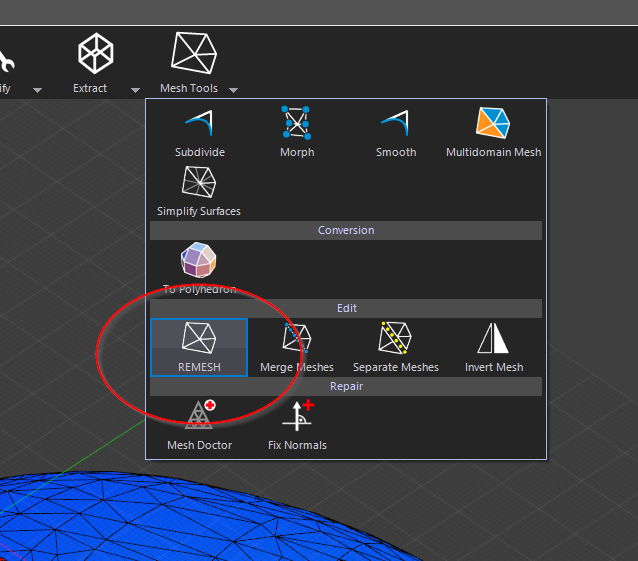
b) Mesh tools -> Remesh
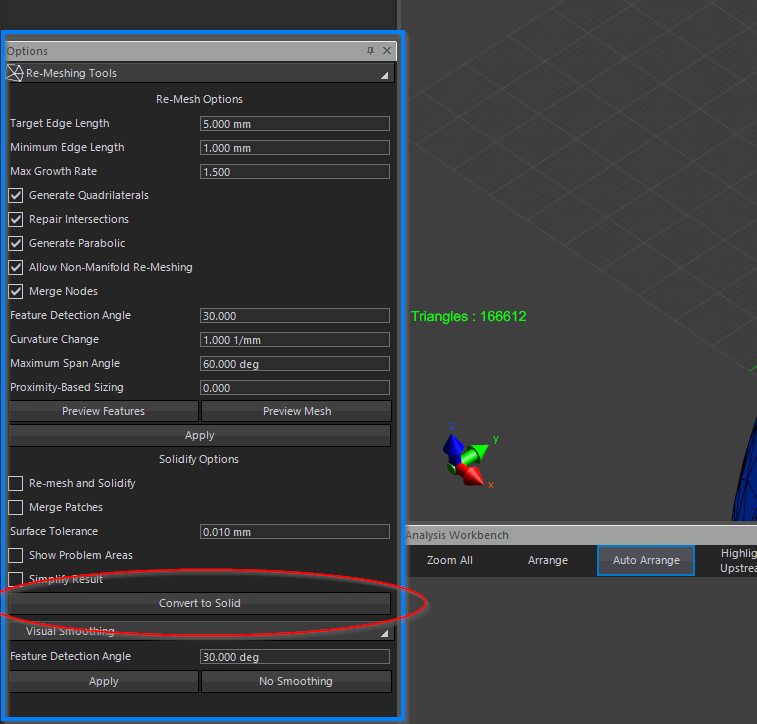
c) in the Options pannel, select "Convert to Solid"
Now you are ready to export!
-
-
Not all users have the REMESH tool. Users who don't have the REMESH tool can
- export the surface as STL (or some other surface mesh format like PLY)
- import it in Sim4Life (via the Import button, not via drag and drop) and select the "Convert to Solid"
@pcrespo By the way. Converting to Solid (using either method) only works well when
a) the mesh resolution is not too high (else it will take forever and use huge amounts of memory)
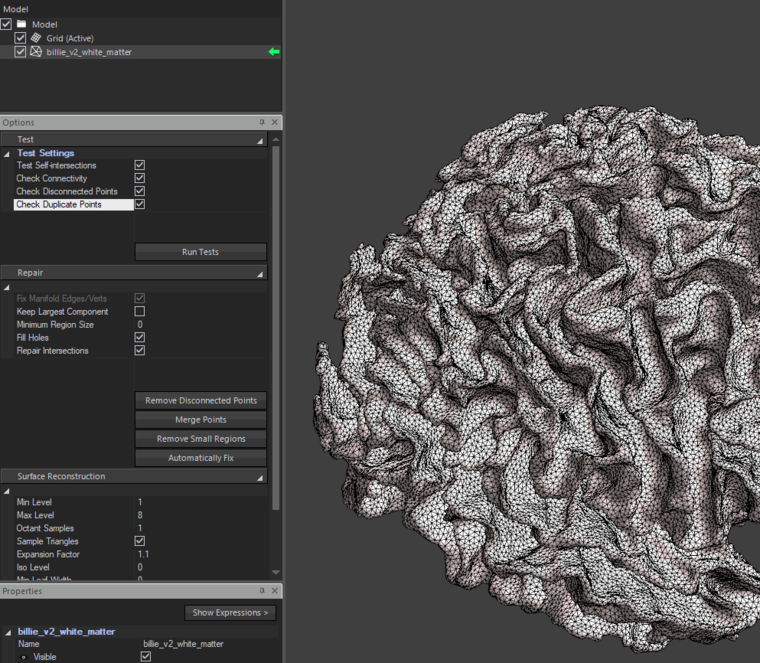
b) the surface mesh is manifold and has no self-intersections. these defects can be identified and often fixed using the Mesh Doctor ("Automatically Fix").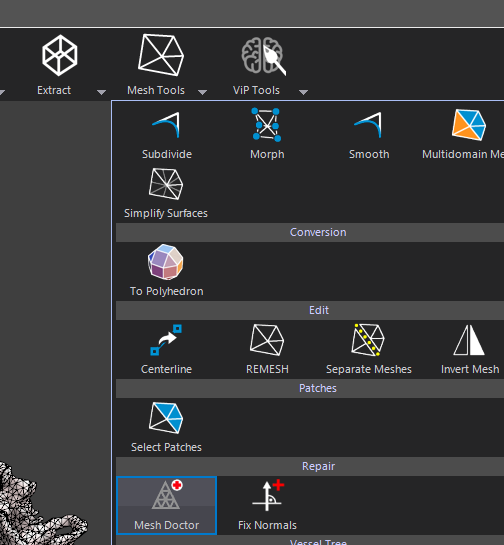


Hello! It looks like you're interested in this conversation, but you don't have an account yet.
Getting fed up of having to scroll through the same posts each visit? When you register for an account, you'll always come back to exactly where you were before, and choose to be notified of new replies (either via email, or push notification). You'll also be able to save bookmarks and upvote posts to show your appreciation to other community members.
With your input, this post could be even better 💗
Register Login