Skip to content
  • Search
Skins
  • Light
  • Brite
  • Cerulean
  • Cosmo
  • Flatly
  • Journal
  • Litera
  • Lumen
  • Lux
  • Materia
  • Minty
  • Morph
  • Pulse
  • Sandstone
  • Simplex
  • Sketchy
  • Spacelab
  • United
  • Yeti
  • Zephyr
  • Dark
  • Cyborg
  • Darkly
  • Quartz
  • Slate
  • Solar
  • Superhero
  • Vapor

  • Default (No Skin)
  • No Skin
Collapse

ZMT zurich med tech

  1. Home
  2. Sim4Life
  3. CAD Modeling
  4. Waveport error

Waveport error

Scheduled Pinned Locked Moved CAD Modeling
4 Posts 2 Posters 2.1k Views 2 Watching
  • Oldest to Newest
  • Newest to Oldest
  • Most Votes
Reply
  • Reply as topic
Log in to reply
This topic has been deleted. Only users with topic management privileges can see it.
  • V Offline
    V Offline
    VigneshYork
    wrote on last edited by
    #1

    Hi,

    I am getting the following error. Not sure what it means. Tried to place the antenna on the head

    Error : Failed to update waveguide boundaries for Unite 1 (Antenna) : Invalid waveguide cross-section. Expected geometry flat along one of the cartesian directions.
    Error : Unable to assign 'Unite 1' as a Waveguide Source in simulation 'EM'.
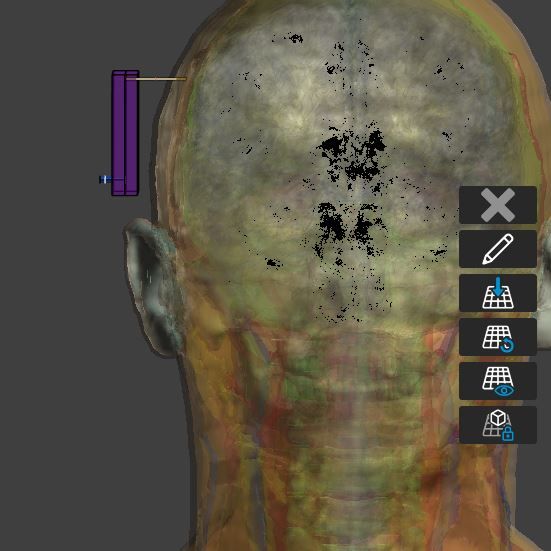
    sim4life_error.JPG

    1 Reply Last reply
    0
    • ofliO Offline
      ofliO Offline
      ofli
      ZMT
      wrote on last edited by
      #2

      Hi,

      The waveguide ports should be aligned with one of the cartesian planes, i.e., the coaxial waveguide source in your project should be in xy, yz or xz planes. I hope it helps.

      1 Reply Last reply
      0
      • V Offline
        V Offline
        VigneshYork
        wrote on last edited by
        #3

        Hi, is there anyway to override this error? I would like to ideally place antennas around the body segment but cannot run the simulation due to the cartesian errors

        1 Reply Last reply
        0
        • V Offline
          V Offline
          VigneshYork
          wrote on last edited by
          #4

          Hi,

          How do you ensure they are in xy,yz or xz plane. Visually they are but I still face the error?

          1 Reply Last reply
          0

          Hello! It looks like you're interested in this conversation, but you don't have an account yet.

          Getting fed up of having to scroll through the same posts each visit? When you register for an account, you'll always come back to exactly where you were before, and choose to be notified of new replies (either via email, or push notification). You'll also be able to save bookmarks and upvote posts to show your appreciation to other community members.

          With your input, this post could be even better 💗

          Register Login
          Reply
          • Reply as topic
          Log in to reply
          • Oldest to Newest
          • Newest to Oldest
          • Most Votes


          • Login

          • Don't have an account? Register

          • Login or register to search.
          • First post
            Last post
          0
          • Search