Skip to content
  • Search
Skins
  • Light
  • Brite
  • Cerulean
  • Cosmo
  • Flatly
  • Journal
  • Litera
  • Lumen
  • Lux
  • Materia
  • Minty
  • Morph
  • Pulse
  • Sandstone
  • Simplex
  • Sketchy
  • Spacelab
  • United
  • Yeti
  • Zephyr
  • Dark
  • Cyborg
  • Darkly
  • Quartz
  • Slate
  • Solar
  • Superhero
  • Vapor

  • Default (No Skin)
  • No Skin
Collapse

ZMT zurich med tech

  1. Home
  2. Sim4Life
  3. CAD Modeling
  4. The number of electrodes in the generated 10-10 System is insufficient, lacking the outermost ring compared to the standard 10-10 electrode placement.
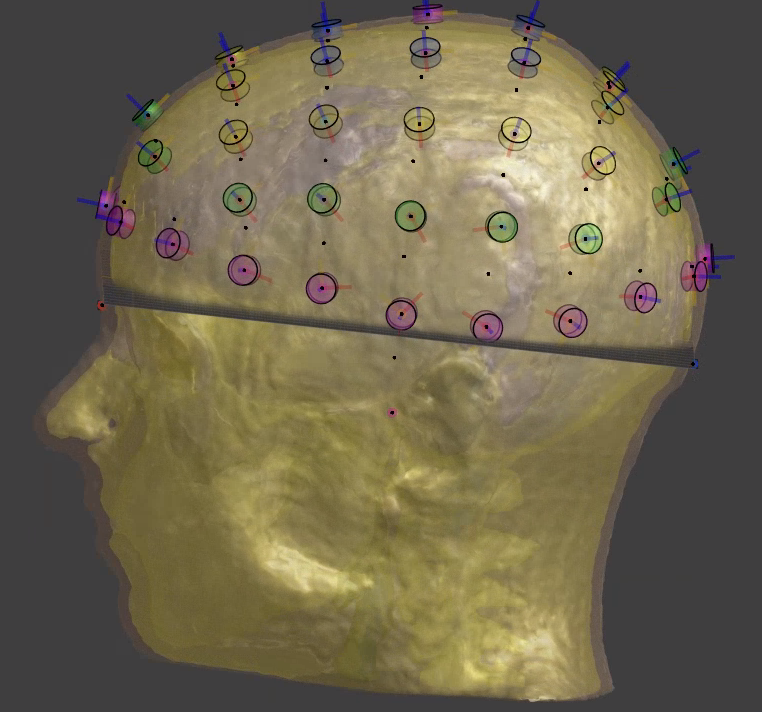
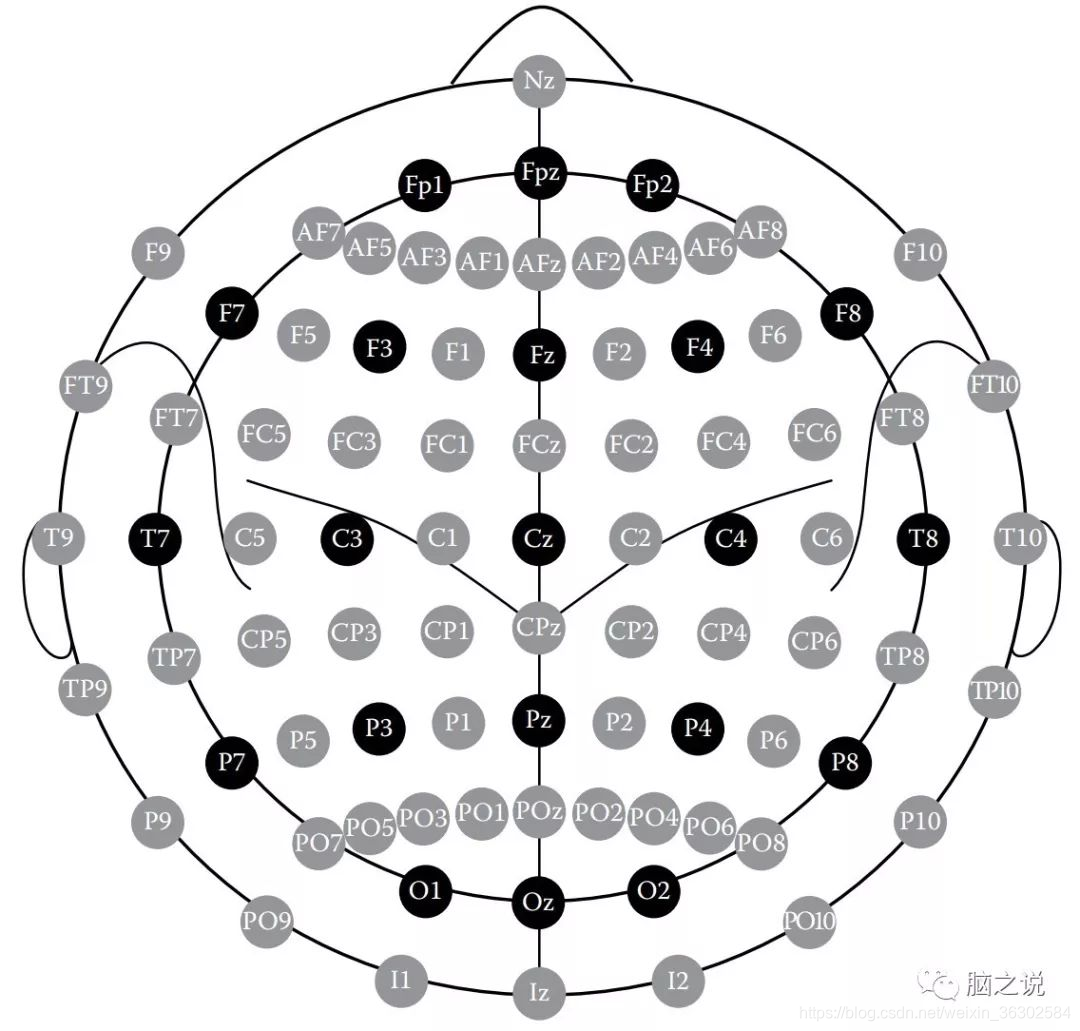
The number of electrodes in the generated 10-10 System is insufficient, lacking the outermost ring compared to the standard 10-10 electrode placement.

Scheduled Pinned Locked Moved CAD Modeling
4 Posts 2 Posters 1.9k Views 2 Watching
  • Oldest to Newest
  • Newest to Oldest
  • Most Votes
Reply
  • Reply as topic
Log in to reply
This topic has been deleted. Only users with topic management privileges can see it.
  • L Offline
    L Offline
    lucky_lin
    wrote on last edited by lucky_lin
    #1

    In addition, electrodes such as AF5 and AF1 are also missing. Is there any way to add these electrodes?
    78571492-3ed2-4de4-b91d-35000be66edd-image.png
    99c9e5d8-cc09-46c8-aac1-68decdca2a97-image.png

    1 Reply Last reply
    0
    • brynB Offline
      brynB Offline
      bryn
      ZMT
      wrote on last edited by
      #2

      @lucky_lin thanks for your post. We will add the other points in an upcoming release.

      In the meantime (as a workaround), you could add intermediate points like AF5 using a Python code like this

      import XCoreModeling as xcm
      
      line = xcm.GeodesicPath(skin_surface, [AF7_pos, AF3_pos])
      
      wires = xcm.GetWires(line)
      curve = wires[0].GetGeometry(True)
      interval = curve.ParameterRange
      AF5_pos = curve.Eval(0.5 * (interval.Start + interval.End))

      
      L 1 Reply Last reply
      0
      • brynB bryn

        @lucky_lin thanks for your post. We will add the other points in an upcoming release.

        In the meantime (as a workaround), you could add intermediate points like AF5 using a Python code like this

        import XCoreModeling as xcm
        
        line = xcm.GeodesicPath(skin_surface, [AF7_pos, AF3_pos])
        
        wires = xcm.GetWires(line)
        curve = wires[0].GetGeometry(True)
        interval = curve.ParameterRange
        AF5_pos = curve.Eval(0.5 * (interval.Start + interval.End))
        
        L Offline
        L Offline
        lucky_lin
        wrote on last edited by
        #3

        @bryn Okay, looking forward to the new release!

        brynB 1 Reply Last reply
        0
        • L lucky_lin

          @bryn Okay, looking forward to the new release!

          brynB Offline
          brynB Offline
          bryn
          ZMT
          wrote on last edited by bryn
          #4

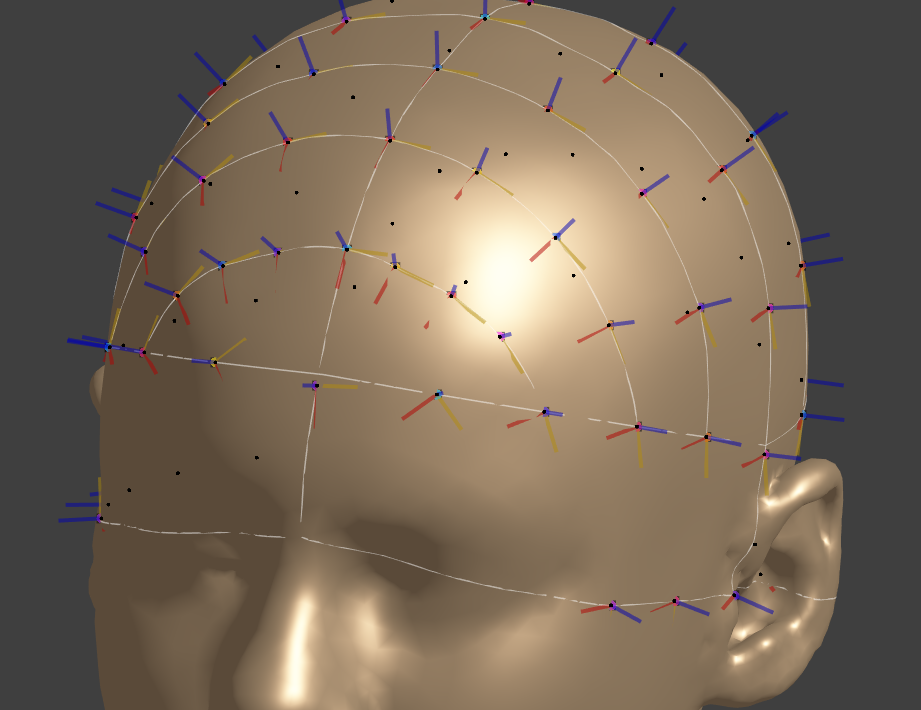
          preview (still working on the distance from e.g. F7 to F9)
          c2ee64b1-55df-41d6-9583-bd5832ceb962-image.png

          1 Reply Last reply
          0

          Hello! It looks like you're interested in this conversation, but you don't have an account yet.

          Getting fed up of having to scroll through the same posts each visit? When you register for an account, you'll always come back to exactly where you were before, and choose to be notified of new replies (either via email, or push notification). You'll also be able to save bookmarks and upvote posts to show your appreciation to other community members.

          With your input, this post could be even better 💗

          Register Login
          Reply
          • Reply as topic
          Log in to reply
          • Oldest to Newest
          • Newest to Oldest
          • Most Votes


          • Login

          • Don't have an account? Register

          • Login or register to search.
          • First post
            Last post
          0
          • Search