Skip to content
  • Search
Skins
  • Light
  • Brite
  • Cerulean
  • Cosmo
  • Flatly
  • Journal
  • Litera
  • Lumen
  • Lux
  • Materia
  • Minty
  • Morph
  • Pulse
  • Sandstone
  • Simplex
  • Sketchy
  • Spacelab
  • United
  • Yeti
  • Zephyr
  • Dark
  • Cyborg
  • Darkly
  • Quartz
  • Slate
  • Solar
  • Superhero
  • Vapor

  • Default (No Skin)
  • No Skin
Collapse

ZMT zurich med tech

  1. Home
  2. Sim4Life
  3. Anatomical Models
  4. Video of my model

Video of my model

Scheduled Pinned Locked Moved Anatomical Models
14 Posts 4 Posters 7.0k Views 4 Watching
  • Oldest to Newest
  • Newest to Oldest
  • Most Votes
Reply
  • Reply as topic
Log in to reply
This topic has been deleted. Only users with topic management privileges can see it.
  • L lsc

    Ok! Thanks 🙂

    brynB Offline
    brynB Offline
    bryn
    ZMT
    wrote on last edited by
    #5

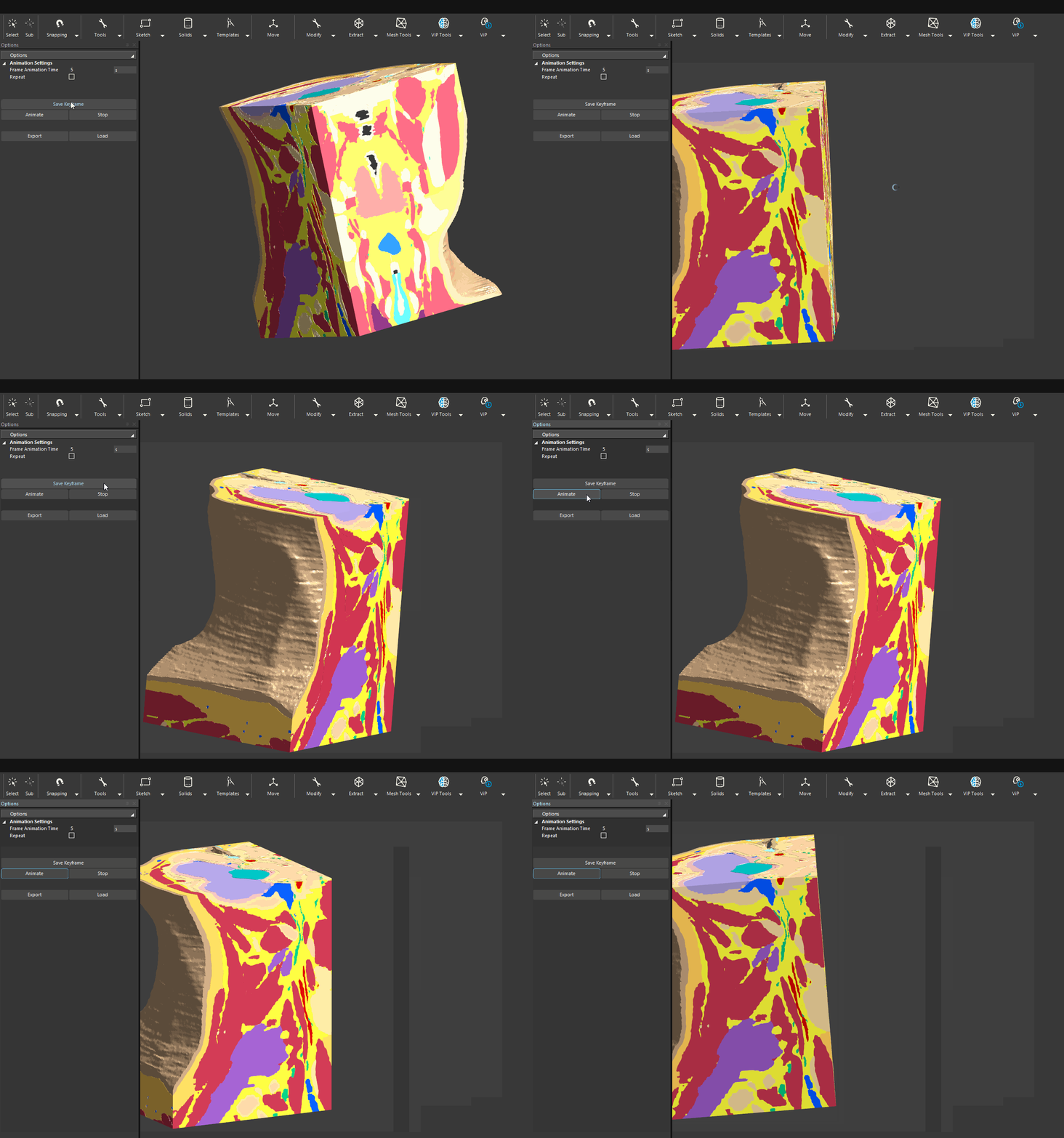
    @lsc keyframe_animation.gif

    1 Reply Last reply
    0
    • L Offline
      L Offline
      lsc
      wrote on last edited by
      #6

      Thank you very much 🙂

      1 Reply Last reply
      0
      • M Offline
        M Offline
        mkn
        wrote on last edited by
        #7

        Hello @bryn,

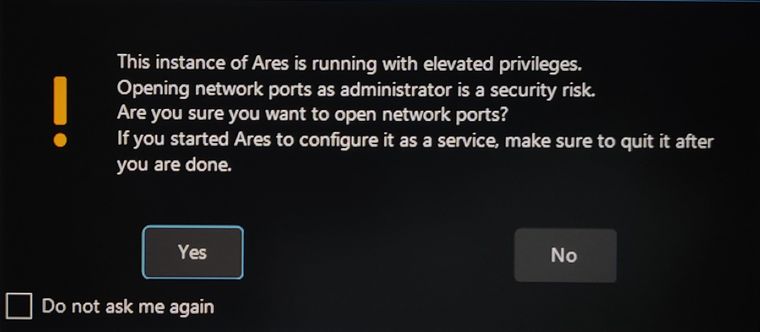
        How come I get this warning when starting S4L from the command line?

        IMG_S4L.jpg

        I'm also interested in this, would be great if you can share the script.

        Thanks!

        1 Reply Last reply
        0
        • brynB Offline
          brynB Offline
          bryn
          ZMT
          wrote on last edited by bryn
          #8

          @mkn I am not sure why you get that message. Did you start from a normal command prompt (cmd) or a command with admin priviliges?

          Regarding the script: the above animation can be created without any script. The Keyframe Animation Tool can store camera settings (vie direction, zoom) and model settings like color and transparency.

          1 Reply Last reply
          0
          • M Offline
            M Offline
            mkn
            wrote on last edited by
            #9

            Sorry, I must have started a command with admin privileges last time, tried it again today and I don't get that message. I was referring to your flythrough script.

            Thanks again!

            1 Reply Last reply
            0
            • M Offline
              M Offline
              mkn
              wrote on last edited by
              #10

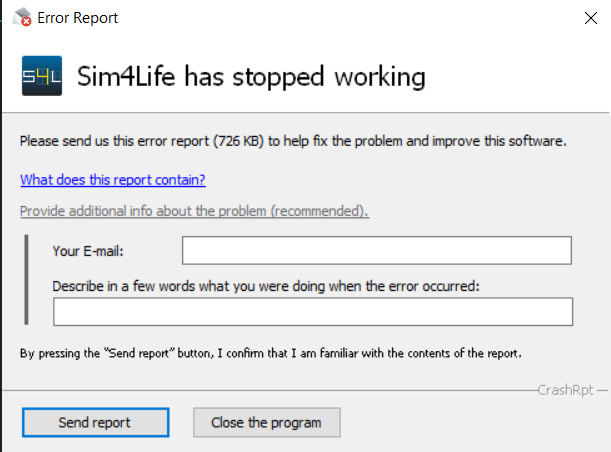
              @bryn every time I hit animate the software crashes.

              63d5d69b-902a-45e1-bf96-2fcdc1174d01-image.png

              Any thoughts on what could possibly be causing this?

              Thanks!

              1 Reply Last reply
              0
              • brynB Offline
                brynB Offline
                bryn
                ZMT
                wrote on last edited by
                #11

                not sure. it could be related to graphics drivers. are you using it via remote desktop? please send one of the crash reports with some description (and "for Bryn"). Thanks

                1 Reply Last reply
                0
                • M Offline
                  M Offline
                  mkn
                  wrote on last edited by
                  #12

                  Sent the crash report.

                  1 Reply Last reply
                  0
                  • brynB Offline
                    brynB Offline
                    bryn
                    ZMT
                    wrote on last edited by
                    #13

                    thanks @mkn. it looks like you may have pressed "Animate" without first saving any keyframes (the 7.0 release will not crash - and notify the user with an error message).

                    Please note that when the tool stops (restarts) it removes all previously saves keyframes. Maybe a new version should not clear previous keyframes, but allow the user to explicitly them with a "Clear Keyframes" button...?


                    1 Reply Last reply
                    0
                    • M Offline
                      M Offline
                      mkn
                      wrote on last edited by
                      #14

                      Thanks @Bryn!

                      1 Reply Last reply
                      0

                      Hello! It looks like you're interested in this conversation, but you don't have an account yet.

                      Getting fed up of having to scroll through the same posts each visit? When you register for an account, you'll always come back to exactly where you were before, and choose to be notified of new replies (either via email, or push notification). You'll also be able to save bookmarks and upvote posts to show your appreciation to other community members.

                      With your input, this post could be even better 💗

                      Register Login
                      Reply
                      • Reply as topic
                      Log in to reply
                      • Oldest to Newest
                      • Newest to Oldest
                      • Most Votes


                      • Login

                      • Don't have an account? Register

                      • Login or register to search.
                      • First post
                        Last post
                      0
                      • Search