Skip to content
  • Search
Skins
  • Light
  • Brite
  • Cerulean
  • Cosmo
  • Flatly
  • Journal
  • Litera
  • Lumen
  • Lux
  • Materia
  • Minty
  • Morph
  • Pulse
  • Sandstone
  • Simplex
  • Sketchy
  • Spacelab
  • United
  • Yeti
  • Zephyr
  • Dark
  • Cyborg
  • Darkly
  • Quartz
  • Slate
  • Solar
  • Superhero
  • Vapor

  • Default (No Skin)
  • No Skin
Collapse

ZMT zurich med tech

  1. Home
  2. Sim4Life
  3. Anatomical Models
  4. Creating Cross Section of Anatomy

Creating Cross Section of Anatomy

Scheduled Pinned Locked Moved Anatomical Models
6 Posts 2 Posters 2.5k Views 2 Watching
  • Oldest to Newest
  • Newest to Oldest
  • Most Votes
Reply
  • Reply as topic
Log in to reply
This topic has been deleted. Only users with topic management privileges can see it.
  • B Offline
    B Offline
    BrandomFB
    wrote on last edited by
    #1

    Hi,

    What's the easiest way of creating a 2D Cross Section of the Yoon-sun anatomical model? I'm just interested in seeing if some anatomical dimensions change when I use poser to get different postures.

    Regards,

    Brandom F.

    1 Reply Last reply
    1
    • brynB Offline
      brynB Offline
      bryn
      ZMT
      wrote on last edited by
      #2

      You can use the planar cut tool and create slices (for 2d) or cuts. You can multiselect all tissues you are interested in, but it might take a while for yoon-sun v4 depending on the number of tissues.

      B 1 Reply Last reply
      0
      • brynB Offline
        brynB Offline
        bryn
        ZMT
        wrote on last edited by
        #3

        Planar Slice creates contours, which you can cover eg to compute area

        1 Reply Last reply
        0
        • brynB bryn

          You can use the planar cut tool and create slices (for 2d) or cuts. You can multiselect all tissues you are interested in, but it might take a while for yoon-sun v4 depending on the number of tissues.

          B Offline
          B Offline
          BrandomFB
          wrote on last edited by
          #4

          @bryn Thanks! All this is made after creating the voxels right?

          1 Reply Last reply
          0
          • brynB Offline
            brynB Offline
            bryn
            ZMT
            wrote on last edited by
            #5

            @BrandomFB

            no, actually the Planar Cut tool is in the modeler:

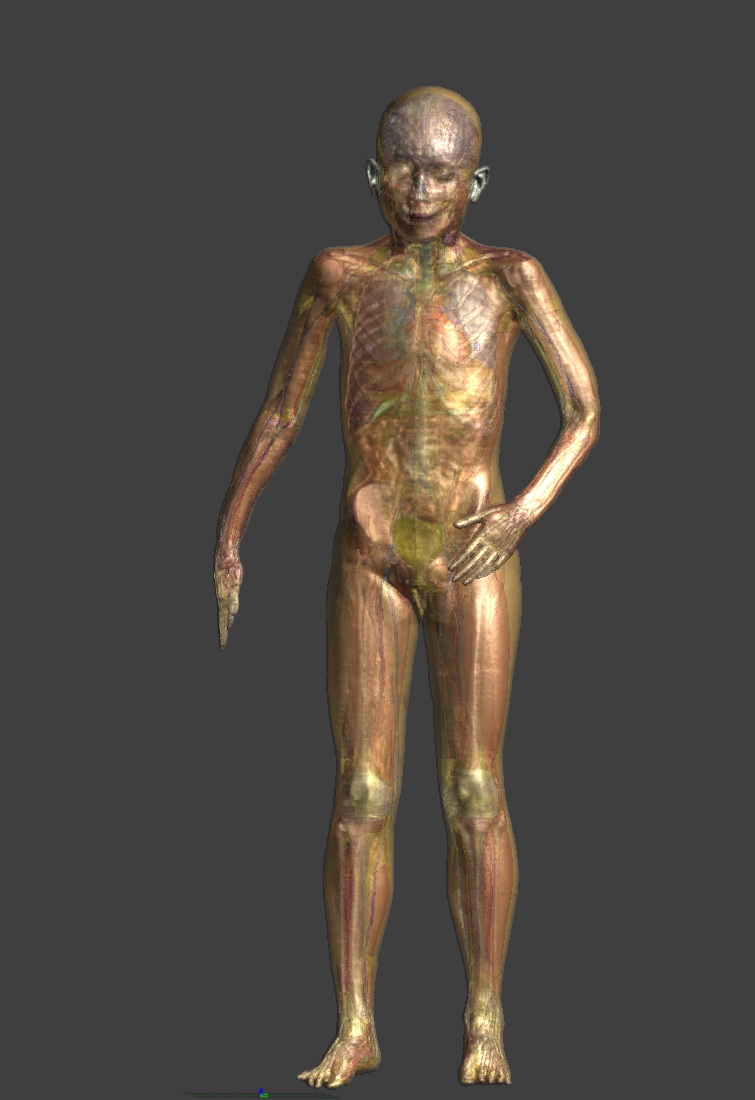
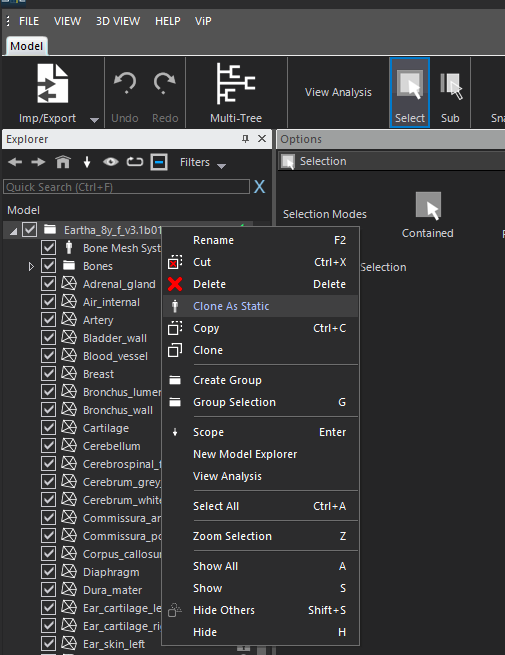
            1. Pose the model, and Clone As Static.
            2. Select the tissues you are interested in.
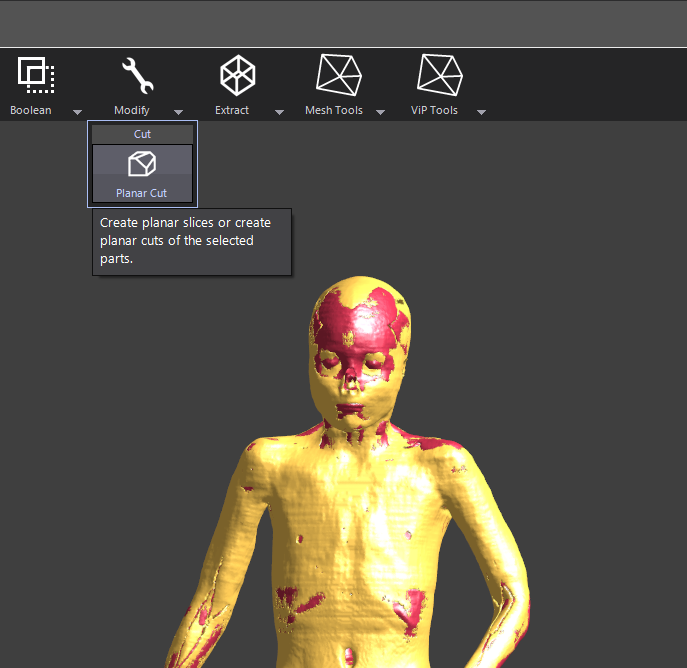
            3. Modify -> Planar Cut -> Planar Slice (button in the 3D view)
            4. Wire Tools -> Cover Loops (to create surface from closed contours)
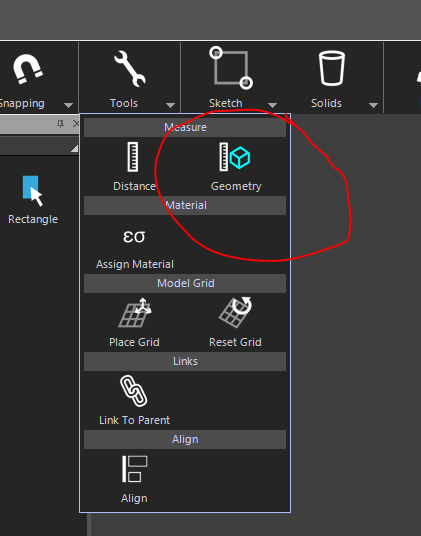
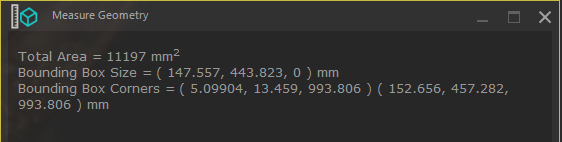
            5. Tools -> Geometry (to measure area)
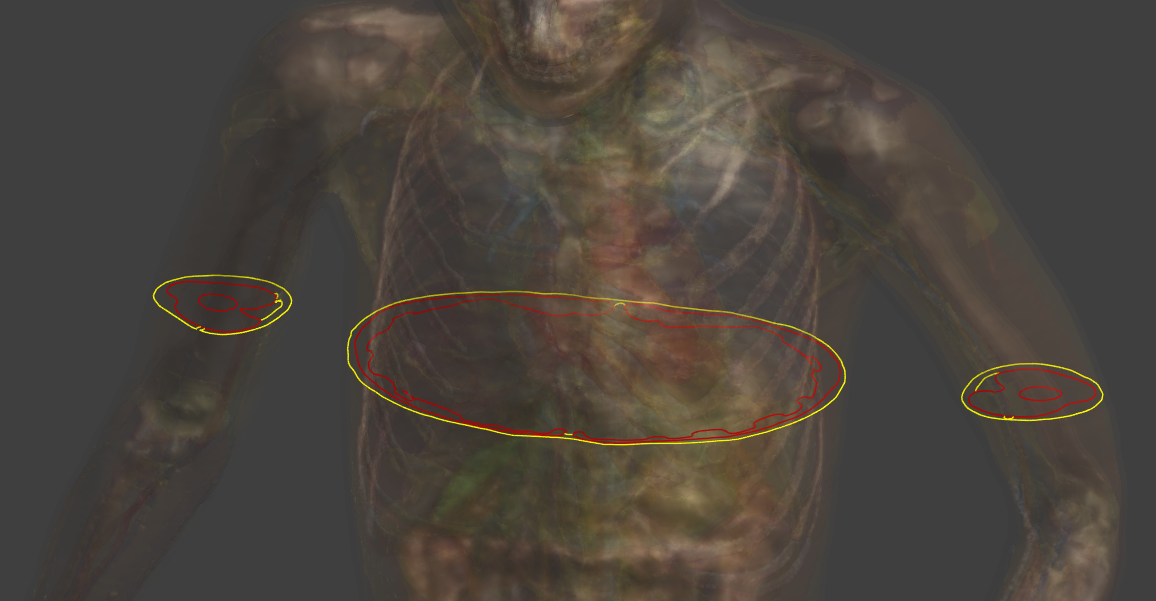
            posed_eartha.PNG
            clone_as_static.PNG
            planar_cut_tool.PNG
            slices.PNG
            cover_loops.PNG
            measure_tool.PNG
            measure.PNG

            B 1 Reply Last reply
            2
            • brynB bryn

              @BrandomFB

              no, actually the Planar Cut tool is in the modeler:

              1. Pose the model, and Clone As Static.
              2. Select the tissues you are interested in.
              3. Modify -> Planar Cut -> Planar Slice (button in the 3D view)
              4. Wire Tools -> Cover Loops (to create surface from closed contours)
              5. Tools -> Geometry (to measure area)
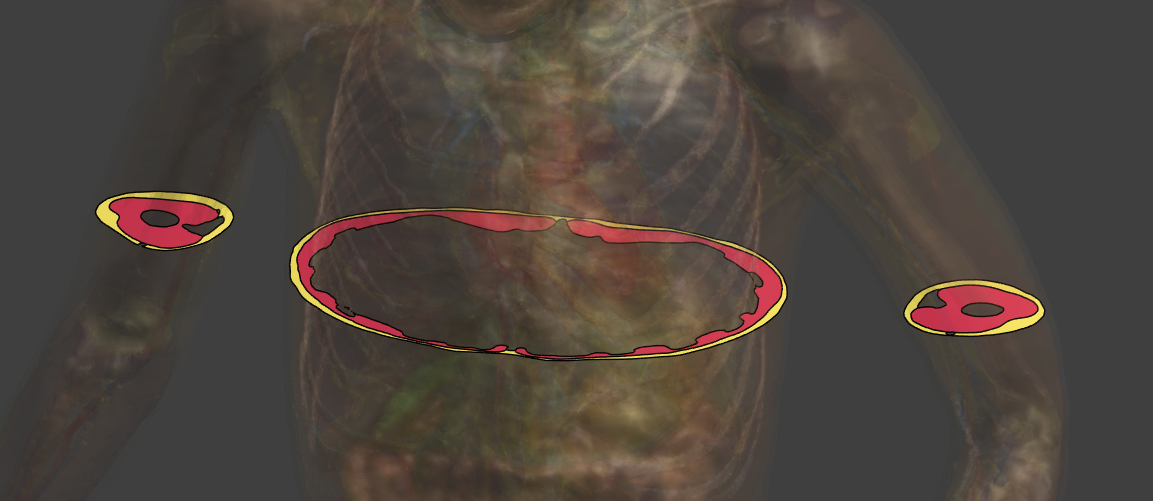
              posed_eartha.PNG
              clone_as_static.PNG
              planar_cut_tool.PNG
              slices.PNG
              cover_loops.PNG
              measure_tool.PNG
              measure.PNG

              B Offline
              B Offline
              BrandomFB
              wrote on last edited by
              #6

              @bryn Thank you very much! Really appreciate it! I was doing the slicing from the voxels. Definitely, this approach is way better.

              Regards,

              Brandom F.

              1 Reply Last reply
              0

              Hello! It looks like you're interested in this conversation, but you don't have an account yet.

              Getting fed up of having to scroll through the same posts each visit? When you register for an account, you'll always come back to exactly where you were before, and choose to be notified of new replies (either via email, or push notification). You'll also be able to save bookmarks and upvote posts to show your appreciation to other community members.

              With your input, this post could be even better 💗

              Register Login
              Reply
              • Reply as topic
              Log in to reply
              • Oldest to Newest
              • Newest to Oldest
              • Most Votes


              • Login

              • Don't have an account? Register

              • Login or register to search.
              • First post
                Last post
              0
              • Search