Skip to content

Simulations & Solvers

269 Topics 800 Posts

FDTD, Low-Frequency, Neuron, Mode-Matching, Flow, Acoustics, etc...

Subcategories


  • FDTD, Low-Frequency, Neuron, Mode-Matching, Flow, Acoustics, etc...

    16 39
    16 Topics
    39 Posts
    G
    Hi, I'm trying to simulate a synapse between two identical neuron models, imported from the same .hoc file. I set the simulation as follow (see screenshot): -both neuron have the same HOC Model Settings -The first neuron "L23_PC_cADpyr229_1", pre-synaptic, has an IClamp on its soma -The second neuron "L23_PC-cADpyr229_2", post-synaptic, has a Exp2Syn point process on dendrite 9 -The network connection was created drag & dropping the first neuron's model and the Exp2Syn point process of the second neuron in the network connection settings [image: 1778756649765-f7472fbe-2fe9-4244-9297-34d7a1f29c16-image.png] If I try to run the simulation I get the error messages: Simulation : [Error] Failed to create neuron group ids. Error : Failed to write the input file Error : Unable to start simulation: failed to write input files. How can I solve this error? I already tried using different neurons from different .hoc files. Thank you in advance
  • SEFT simulation - problems with parameters

    10
    0 Votes
    10 Posts
    5k Views
    M
    I don't remember so well, but I'm pretty sure it's 1/timestep used to discretize / sample the signal. (Note that this is used to create a list of time points and pressure signals, but the acoustic solver then again reinterpolates this signal to it's own time step that is calculated from the Setup Frequency) Setup Frequency is mostly ignored now that you have user defined source, it was mostly used as a frequency of the sources and for the final FFT analysis. However, if I remember correctly it is used to calculate the time step used in the solver, so make sure it is set to the highest frequency available in your sources That expression was just a random signal to give the user an idea of how to input expressions. It seems in your case you want Element 5 to be sin(2 * pi * 0.5E9 *_t) and Element 6 to be sin(2 * pi * 0.75E9 *_t) if you want to excite one transducer at 500 KHz and the other at 750 KHz User defined sources sets an equation which is then sampled / interpolated at that sampling frequency (fs = 1/dt)
  • FDTD Simulation Fail

    2
    1
    0 Votes
    2 Posts
    1k Views
    ofliO
    Dear Aiping, please send the simulation file to the support team. Thanks.
  • This topic is deleted!

    1
    0 Votes
    1 Posts
    2 Views
    No one has replied
  • Different frequencies in electrodes

    13
    0 Votes
    13 Posts
    8k Views
    H
    @pastis Hello, Have you solved this question? can we compare the amount of electric field that reach the targeted region to evaluate the TI simulation ?
  • Neuron solver failed

    2
    3
    0 Votes
    2 Posts
    1k Views
    H
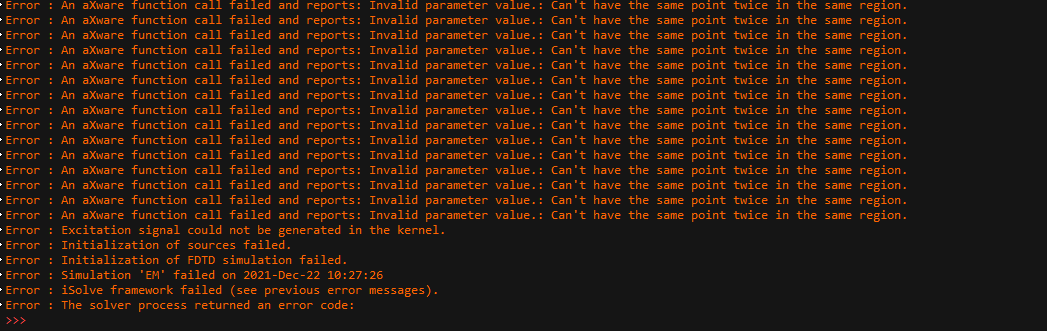
    Hello, It seems that you now have the Neuron installer and it is working, but something is missing in your setup. Could you please check for error messages in the Console? One possible reason could be that you have installed NEURON before Sim4Life completely finished its installation. Please uninstall Sim4Life, install it again, and only after finishing install NEURON.
  • RAM Usage Limit

    2
    0 Votes
    2 Posts
    1k Views
    H
    Hello, Unfortunately there is no direct way from Sim4Life to limit the amount of RAM to allocate for the program. You may be able to do so using external tools that tap into the operating system's settings and manage the resources. But we are not aware of any and we did not test any that we would recommend. The reason your PC is slowing down is because the OS switches to paging on disk instead of using fast RAM. Paging is slow and uses CPU resources. My guess is that even if you limit the RAM for Sim4Life, the solver will still need a lot more memory and it will either fail or use the disk for paging resulting in the similar slowing effect.
  • Magneto Quasi-static simulations stop

    1
    0 Votes
    1 Posts
    683 Views
    No one has replied
  • conformal mesh

    2
    0 Votes
    2 Posts
    952 Views
    brynB
    If the cable bounding box is smaller than the body, maybe you could use sub-gridding.
  • MPI only starts 1 process

    2
    5
    0 Votes
    2 Posts
    1k Views
    H
    Hi @Pedro The FDTD solver does not make use of any CPU parallelization and is actually not very suitable for CPU computation except for very small simulations. It is strongly recommended to run FDTD on GPU to benefit from much higher simulation speeds.
  • EM LF solver: Symmetric vs Asymmetric Dirichlet boundary condition

    2
    0 Votes
    2 Posts
    1k Views
    S
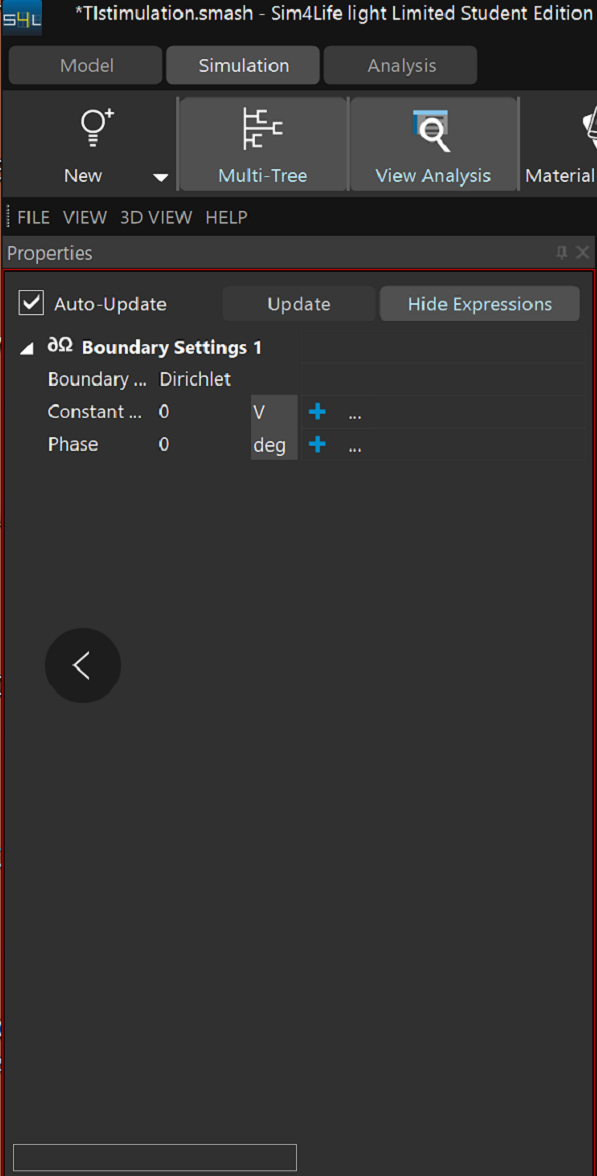
    Hi, most likely you have some other boundary conditions that are affecting the solution. Please share a screenshot of your boundary condition settings, maybe there is a clue there.
  • Error in loading neuron model

    Unsolved
    4
    1
    0 Votes
    4 Posts
    2k Views
    H
    How can I get the download code of neuro solver?
  • EM LF electro simulation

    1
    0 Votes
    1 Posts
    552 Views
    No one has replied
  • EM LF solving problem

    2
    0 Votes
    2 Posts
    951 Views
    H
    Hello, Could you please explain a bit more what you mean by two operations and different results. Please provide any data or screenshots that you think would help us understand the problem.
  • 1 Votes
    13 Posts
    8k Views
    H
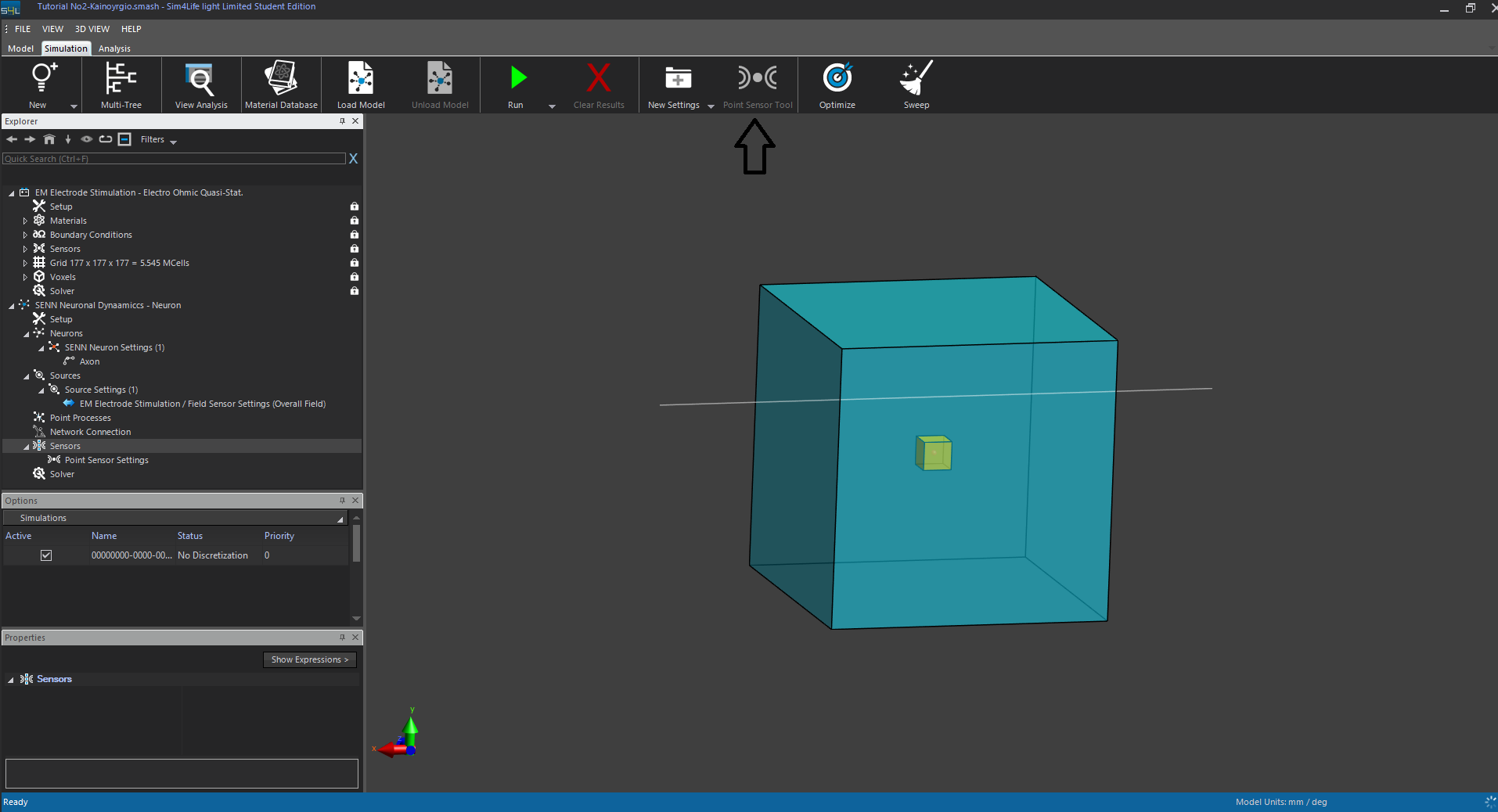
    @christos1996 when I reach into the "Sensors" setting at Simulation Settings (Neuron)], the option "Point "Sensor Tool" is not available to click into. I am sure I have load the model. So have you solved this problem? how to solve ? hope you can reply me .
  • Correct time delay between transducers

    3
    0 Votes
    3 Posts
    1k Views
    M
    What do you mean with 'it is a real struggle' to calculate the phase? I used a python script for this. Would this be an acceptable solution? The idea is this (all in Python): Have a list of points indicating the coordinates of the base of the tranducer (can also be automated via Python) Interpolate the field values (complex values) of the reverse simulation at these points Calculate the phase of the complex value and conjugate it Create new simulation and add these phase values to the different sources of the transducer
  • Error misunderstanding

    4
    0 Votes
    4 Posts
    2k Views
    L
    I didn't do Python scripts yet so it is only when using the GUI. But I don't know which action because I realized after quite a time that the error was there, I could run the script anyways
  • simulation with 10k spheres

    4
    5
    0 Votes
    4 Posts
    2k Views
    M
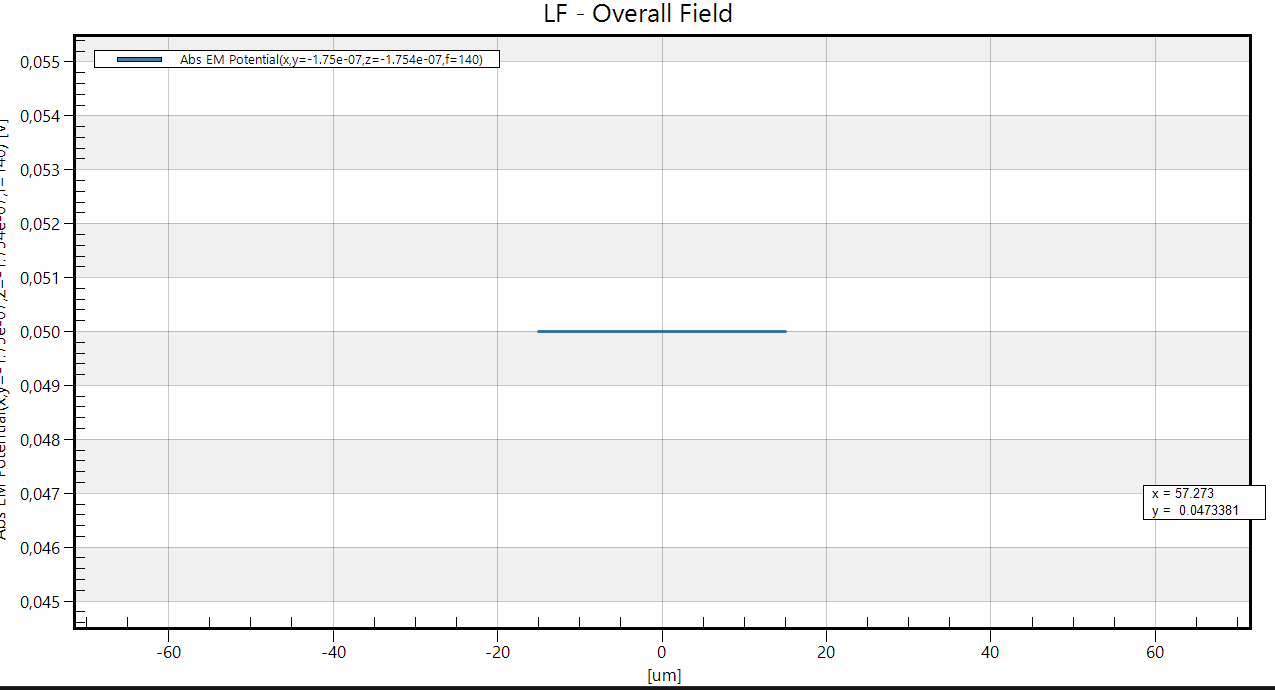
    Additionally, check the Boundary Settings on the Outside (your first Boundary Settings). Seems you set the potential of the spheres to the same value as the outside boundary of your domain and that's why it's constant outside the spheres and at the domain walls as well (hard to make sense of the problem with the dimensions you mentioned and what's displayed in the plots). Also, when setting Voltage (Dirichlet) boundary conditions, make sure to set a 'reference' (Ground: 0V) voltage somewhere
  • how to make current source for EM LF solvers?

    4
    0 Votes
    4 Posts
    2k Views
    S
    @hitina please see my answer here
  • homogeneous and heterogeneous of skull

    acoustic slover homogeneous
    5
    0 Votes
    5 Posts
    3k Views
    M
    Ok, we could set up a call for this ... The Mida model won't really work since it's based on MRI images which doesn't have good contrast for Bone. The typical approach utilizes CT images (known acoustic property maps use CT data as well)
  • stimulation

    Unsolved
    5
    1
    0 Votes
    5 Posts
    2k Views
    H
    @gbgbha you are right.thanks you very much.